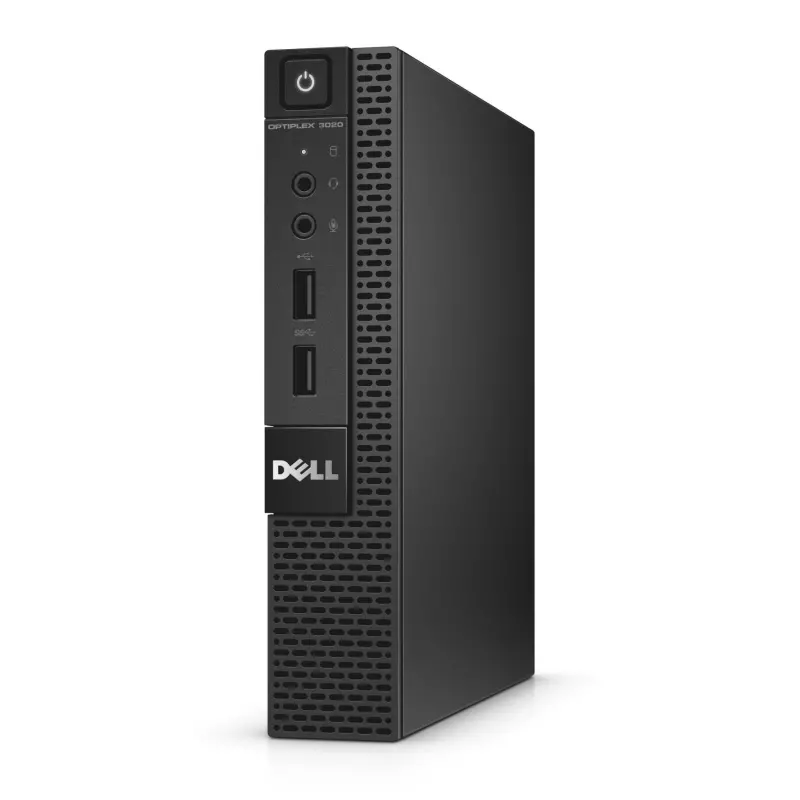
Proxmox on Dell 3020 Micro: The Ultimate Budget Home Lab Setup
If you’re searching for an affordable way to build a powerful home lab, running Proxmox on Dell 3020 Micro is one of the smartest choices you can make in 2026. This tiny form factor (TFF) PC, originally designed as a basic office workstation, has become a favorite among homelab enthusiasts thanks to its low power consumption, compact size, and surprising virtualization capabilities.
Why Choose the Dell 3020 Micro for Proxmox?
The Dell OptiPlex 3020 Micro is a small, energy-efficient desktop that typically comes with an Intel Core i3, i5, or i7 (4th generation), up to 16GB of RAM, and support for both SATA and mSATA storage. While it wasn’t built for virtualization, its low idle power draw (often under 10 watts) makes it an excellent choice for a 24/7 Proxmox node without a huge electricity bill.
Key advantages include:
- Compact footprint – fits easily on a shelf or behind a monitor
- Low noise and low heat – ideal for home environments
- Affordable on the used market – often available for a fraction of new server costs
- Enough power for light workloads – perfect for running multiple LXC containers and lightweight VMs
Installing Proxmox on the Dell 3020 Micro
Installing Proxmox VE on this machine is straightforward. Most users start by flashing the Proxmox ISO onto a USB drive using tools like Rufus or Balena Etcher, then booting from the USB after entering the BIOS boot menu. Because the 3020 Micro supports UEFI, installation is typically smooth, though some users disable Secure Boot to avoid driver conflicts.
Once installed, Proxmox transforms this small PC into a full-fledged hypervisor capable of running:
- Home automation platforms like Home Assistant
- Network tools such as Pi-hole or AdGuard Home
- Lightweight Kubernetes clusters
- File-sharing services like Nextcloud
- Test environments for learning Linux, Docker, or networking
Limitations to Consider
While the Dell 3020 Micro is a fantastic entry-level Proxmox host, it does have limitations. RAM is capped at 16GB on most models, and there’s only one 2.5-inch drive bay plus an mSATA slot, so storage expansion is limited. Heavy workloads, GPU passthrough, or resource-intensive virtual machines may not run smoothly on this hardware.
Final Thoughts
For anyone wanting to experiment with virtualization without investing in expensive rackmount servers, Proxmox on Dell 3020 Micro offers an excellent balance of affordability, efficiency, and functionality. It’s a perfect starting point for home labs, personal cloud projects, or simply learning how enterprise virtualization works — all while sipping minimal electricity.

