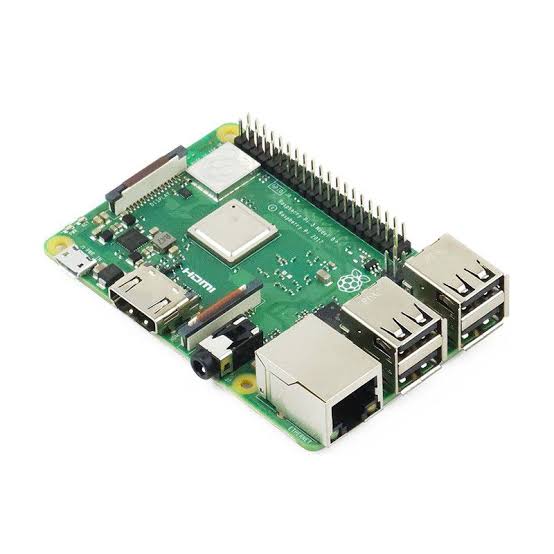
Kubernetes Home Server: Benefits, Hardware Requirements, and Best Self-Hosting Projects
As self-hosting and homelab projects continue to grow in popularity, many technology enthusiasts are looking beyond traditional home servers and exploring container orchestration platforms. One of the most powerful solutions available today is Kubernetes.
Originally designed to manage containerized applications at scale, Kubernetes has become the industry standard for cloud-native infrastructure. While it is commonly associated with large enterprises and cloud providers, Kubernetes can also be deployed in a home server environment, providing an excellent platform for learning modern infrastructure technologies and running self-hosted applications.
A Kubernetes home server allows users to automate deployments, improve application availability, and gain practical experience with technologies widely used in professional IT, DevOps, and cloud engineering environments.
What Is Kubernetes?
Kubernetes is an open-source container orchestration platform originally developed by Google and now maintained by the Cloud Native Computing Foundation.
Its primary purpose is to manage containerized workloads and services automatically.
Instead of manually starting, stopping, and monitoring containers, Kubernetes can:
- Deploy applications automatically
- Scale services up or down
- Restart failed containers
- Distribute workloads across nodes
- Manage networking
- Handle storage resources
- Automate application updates
These capabilities make Kubernetes one of the most powerful infrastructure platforms available today.
Why Run Kubernetes on a Home Server?
Many people initially use Docker for self-hosting. While Docker is simple and effective, Kubernetes provides additional capabilities that become valuable as the number of applications grows.
A home Kubernetes cluster can function as a personal cloud platform capable of running dozens of services simultaneously.
1. Learn Enterprise-Level Infrastructure
One of the biggest advantages of running Kubernetes at home is hands-on experience.
Many organizations now use Kubernetes in production environments.
Learning Kubernetes provides practical knowledge in:
- Container orchestration
- Cloud-native applications
- Infrastructure automation
- Service discovery
- High availability
- Load balancing
- GitOps workflows
These skills are highly valuable for careers in DevOps, cloud engineering, platform engineering, and site reliability engineering.
2. High Availability for Self-Hosted Services
Unlike a single Docker host, Kubernetes can distribute workloads across multiple nodes.
Benefits include:
- Automatic failover
- Reduced downtime
- Improved service reliability
- Better resource utilization
If one node fails, applications can be restarted on another node automatically.
This makes Kubernetes particularly attractive for users running critical home services.
3. Automated Application Management
Kubernetes simplifies application lifecycle management.
Administrators can:
- Deploy applications from manifests
- Perform rolling updates
- Roll back failed updates
- Monitor workloads
- Manage secrets securely
Instead of manually maintaining individual containers, Kubernetes handles much of the operational complexity automatically.
4. Efficient Resource Utilization
Kubernetes intelligently schedules workloads based on available CPU and memory resources.
This allows multiple applications to share hardware efficiently.
Benefits include:
- Better hardware utilization
- Reduced resource waste
- Easier scaling
- Improved workload isolation
For homelab environments with limited hardware, efficient resource management can significantly improve performance.
5. Build a Personal Cloud Platform
Many users transform their Kubernetes clusters into private cloud environments.
A Kubernetes home server can host:
- Cloud storage
- Media servers
- Monitoring systems
- Home automation platforms
- Development environments
- Internal websites
- Databases
This creates a highly flexible platform capable of replacing numerous standalone devices.
Minimum Hardware Requirements
Kubernetes can run on surprisingly modest hardware, although additional resources improve performance and scalability.
Single Node Kubernetes Lab
Suitable for learning and testing.
| Component | Minimum Requirement |
|---|---|
| CPU | 2 Cores |
| RAM | 4 GB |
| Storage | 32 GB SSD |
| Network | Gigabit Ethernet |
Common lightweight Kubernetes distributions include:
- K3s
- MicroK8s
- Minikube
Recommended Multi-Node Cluster
For realistic homelab deployments.
| Component | Recommended Specification |
| CPU | 4–8 Cores per Node |
| RAM | 8–16 GB per Node |
| Storage | SSD or NVMe |
| Network | Gigabit Ethernet |
A typical cluster might consist of:
- 1 Control Plane Node
- 2–3 Worker Nodes
This setup closely resembles production Kubernetes environments.
Advanced Kubernetes Homelab
For virtualization, CI/CD pipelines, and numerous services.
| Component | Recommended Specification |
| CPU | Ryzen 7/9 or Xeon |
| RAM | 32–64 GB |
| Storage | NVMe SSD |
| Network | 2.5G or 10G Ethernet |
Such a cluster can support dozens of services simultaneously.
Popular Kubernetes Distributions for Home Servers
K3s
K3s is one of the most popular choices for homelabs.
Advantages include:
- Lightweight architecture
- Low memory usage
- Easy installation
- Ideal for Raspberry Pi clusters
Many users start their Kubernetes journey with K3s because of its simplicity.
MicroK8s
MicroK8s is developed by Canonical.
Features include:
- Simple deployment
- Built-in add-ons
- Tight Ubuntu integration
- Easy cluster expansion
It is an excellent option for Ubuntu-based home servers.
Talos Linux
Talos Linux is a modern operating system designed specifically for Kubernetes.
Benefits include:
- Minimal attack surface
- Immutable infrastructure
- Security-focused architecture
- Kubernetes-native management
Talos is increasingly popular among advanced homelab enthusiasts.
Best Self-Hosted Applications for Kubernetes
Private Cloud Storage
Many users deploy:
- Nextcloud
This provides:
- File synchronization
- Document sharing
- Calendar services
- Mobile access
Media Streaming
Popular media applications include:
- Jellyfin
- Plex Media Server
These applications can be scaled and managed easily within Kubernetes.
Home Automation
A Kubernetes cluster can host:
- Home Assistant
- MQTT services
- IoT integrations
This creates a highly customizable smart home environment.
Monitoring and Observability
Monitoring is one of Kubernetes’ strongest use cases.
Common deployments include:
- Grafana
- Prometheus
- Loki
These tools provide deep visibility into cluster performance and workloads.
GitOps and CI/CD
Modern homelabs frequently implement automation tools such as:
- Argo CD
- Jenkins
- GitLab
This enables users to learn production-grade deployment workflows.
Kubernetes vs Docker for Home Servers
| Feature | Kubernetes | Docker |
| Ease of Setup | Moderate | Easy |
| Learning Curve | High | Low |
| Scalability | Excellent | Limited |
| Automation | Advanced | Basic |
| High Availability | Built-In | Manual |
| Enterprise Relevance | Excellent | Good |
Docker remains the best option for beginners, while Kubernetes becomes attractive as infrastructure complexity increases.
Who Should Build a Kubernetes Home Server?
A Kubernetes home server is ideal for:
DevOps Engineers
Learn production-grade container orchestration and automation.
Cloud Engineers
Practice cloud-native architectures in a local environment.
Developers
Deploy and test microservices efficiently.
IT Professionals
Build practical skills used by modern enterprises.
Homelab Enthusiasts
Create scalable self-hosted environments with advanced automation.